
Visualizing CSS
Multi-layer shadows, gradient stops, cubic-bezier timing curves, flex axes, grid tracks: all the parts of CSS that are hard to read as raw values, broken down into pictures.
Box Shadow
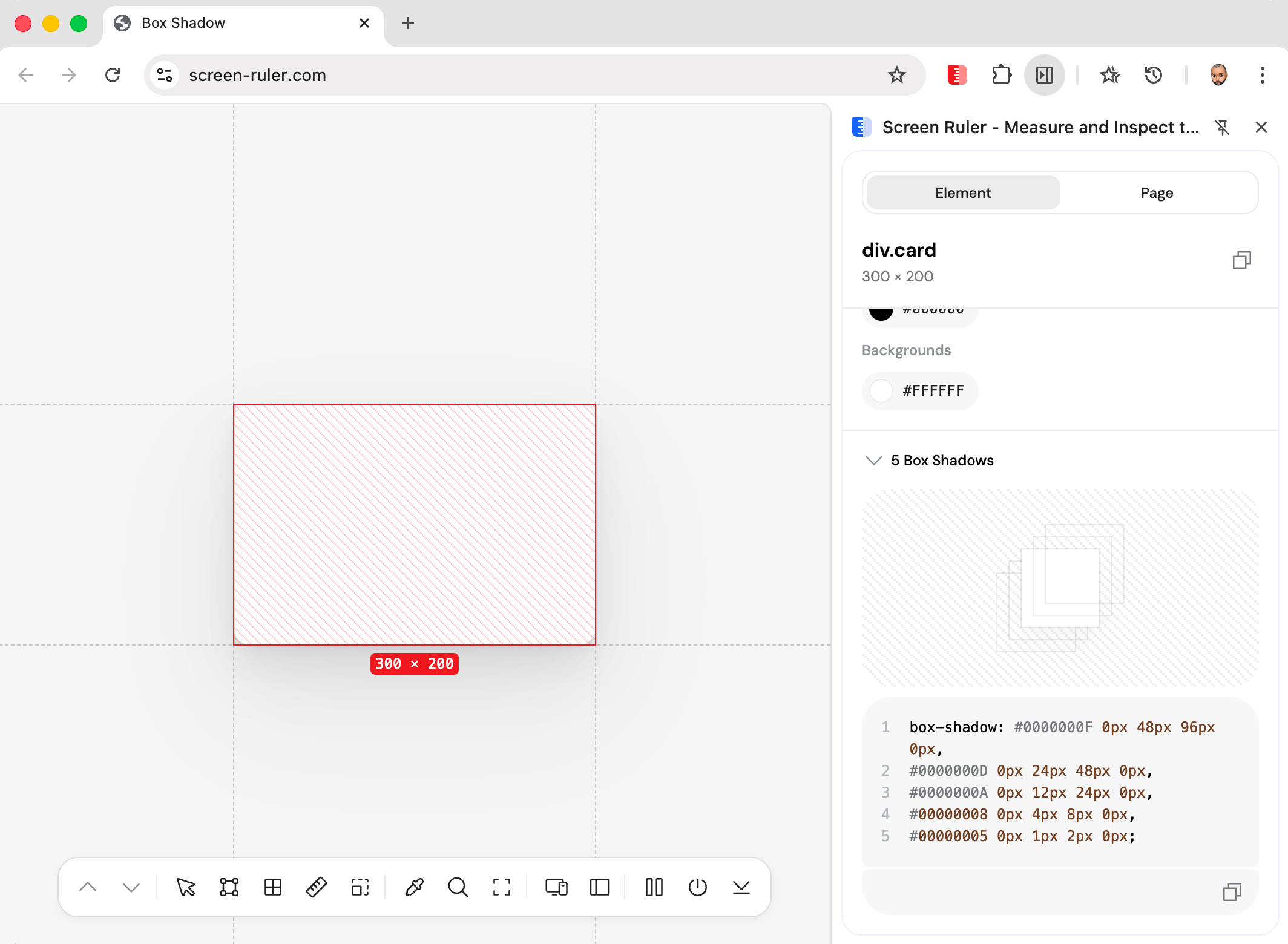
Modern shadow styles often layer three, four, or five shadows together. Reading that as a comma-separated string is painful. The Box Shadow inspector parses the value, splits each shadow layer apart, and renders an exploded stack diagonally below the element so every layer’s offset, blur, spread, and colour is readable at a glance.
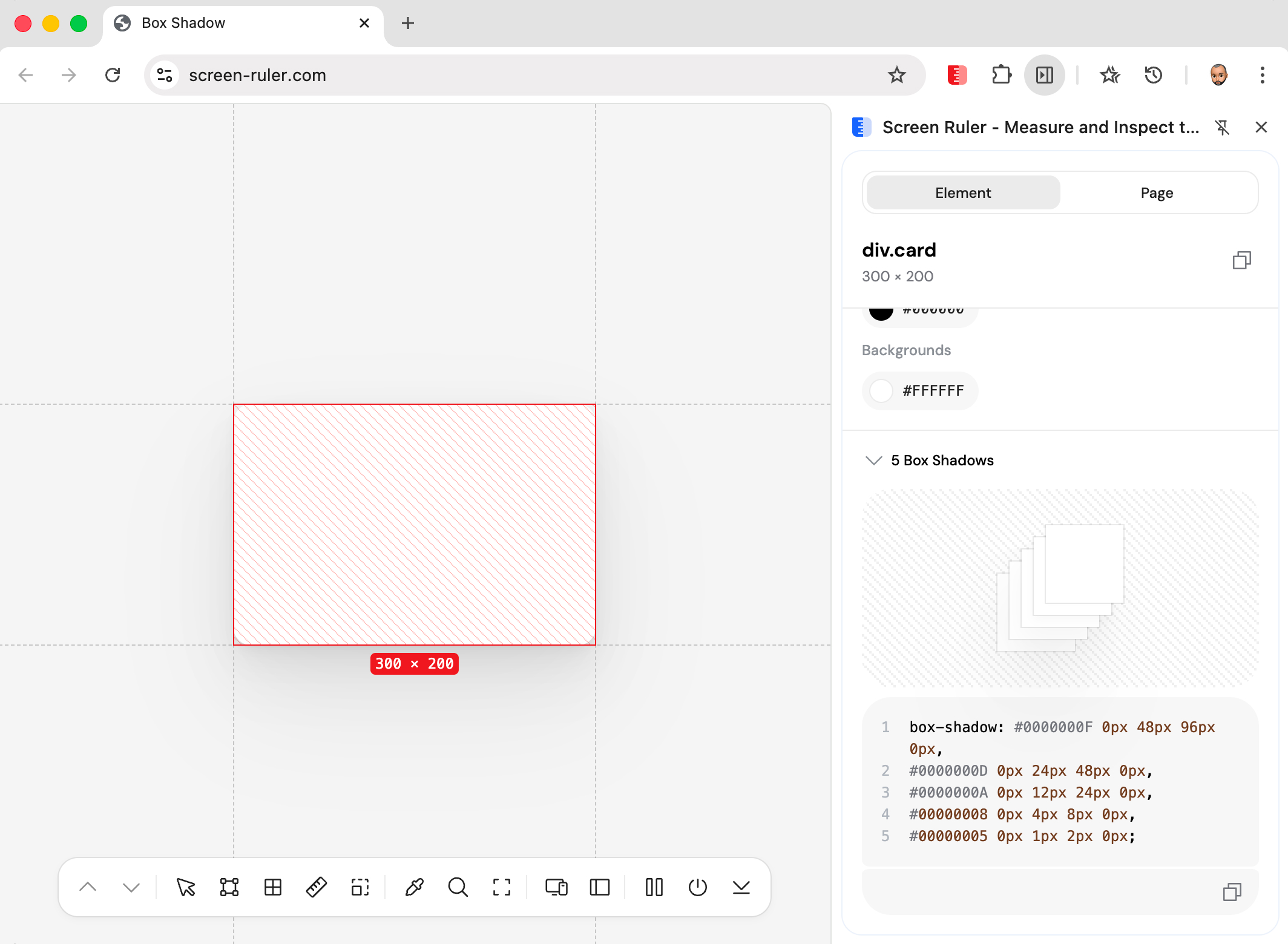
Hover any layer in the exploded stack to see that single shadow rendered on the element in isolation, with its offset, blur, spread, and colour surfaced alongside.
Gradients
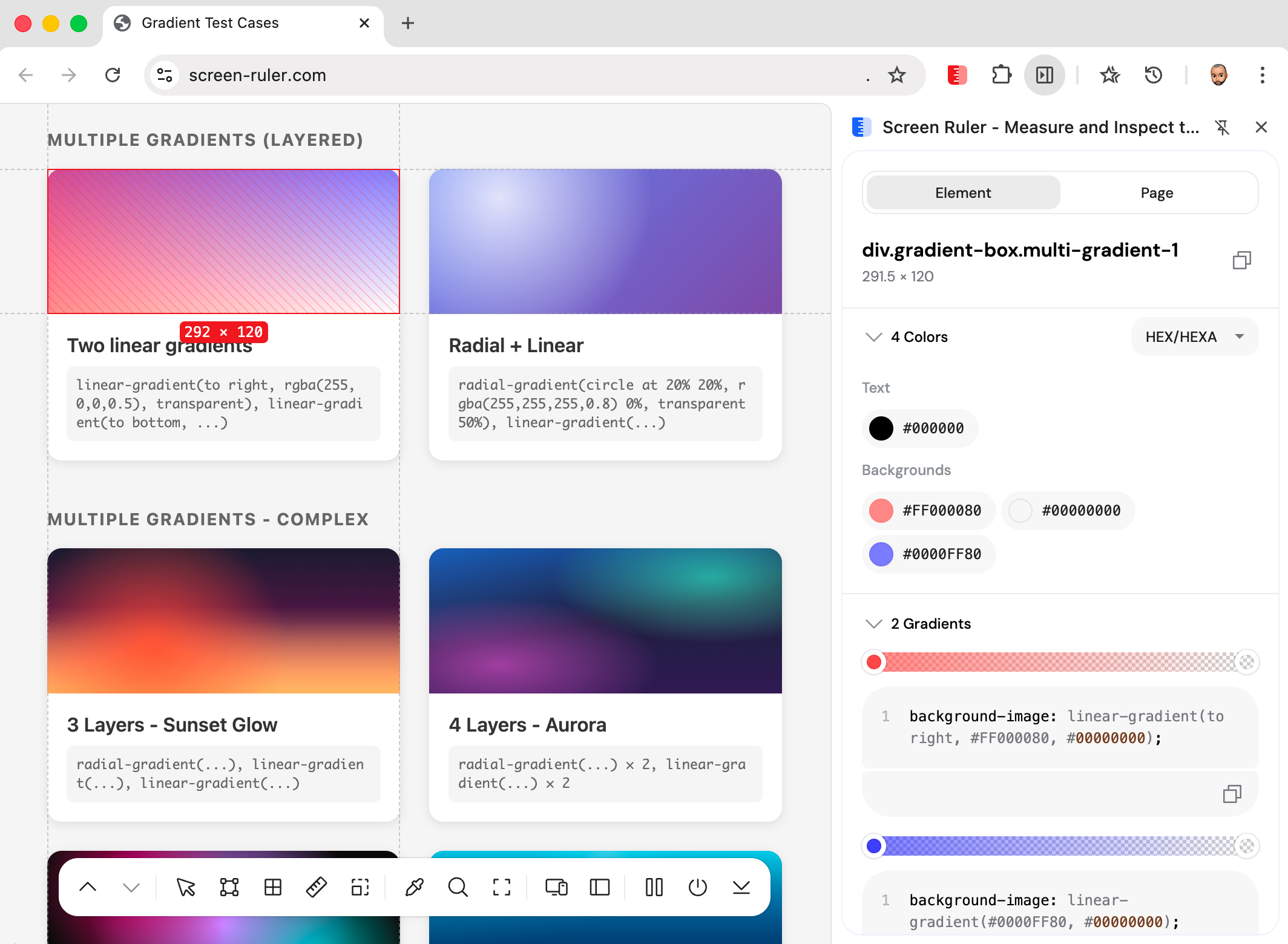
CSS gradients are dense one-liners that pack a type, an angle, and an arbitrary number of colour stops into a single function call. The gradient inspector parses each gradient on the selected element and breaks it into something you can actually read.
It handles all three types: linear-gradient, radial-gradient, and conic-gradient, plus repeating variants. Modern colour spaces (oklch(), oklab(), lch(), lab(), hwb(), color()) are parsed correctly, and implicit stop positions are auto-filled via linear interpolation.
Animations
The animation inspector reads every CSS animation applied to the selected element and breaks it into its parts. Animation name, duration, delay, iteration count, and timing function are all listed. The timing function is rendered as a cubic-bezier curve so you can see the easing visually rather than parsing four numbers in your head.
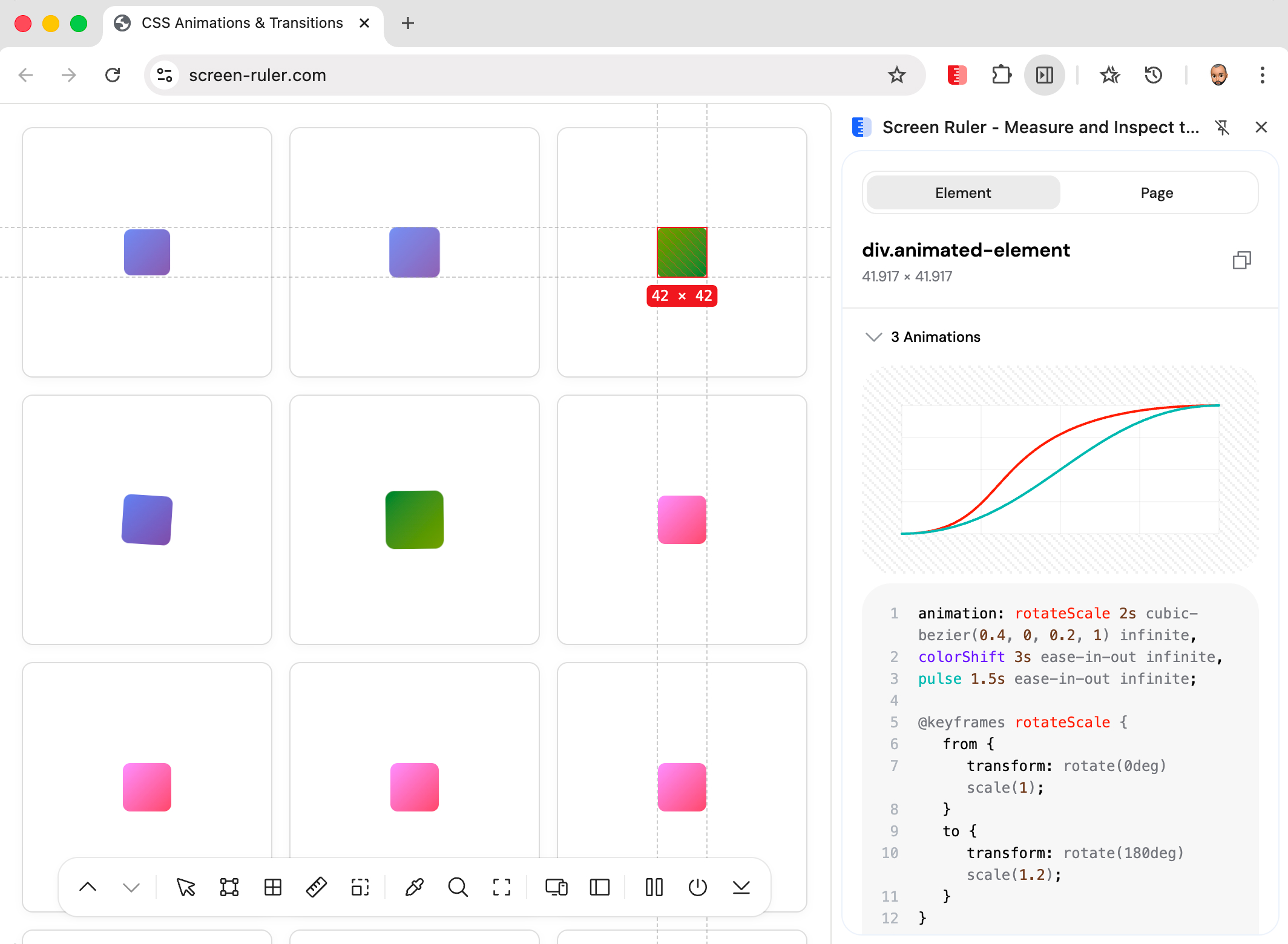
The parser handles every standard timing-function form: named keywords (linear, ease, ease-in, ease-out, ease-in-out) using their W3C-spec control points, custom cubic-bezier(x1, y1, x2, y2) values, and stair-step steps(n, start|end) functions which render as actual stair-step paths. If @keyframes rules are defined in an accessible stylesheet, they appear separately as syntax-highlighted CSS.
Transitions
The transition inspector reads transition-property, transition-duration, transition-delay, and transition-timing-function from computed styles. Properties that share the same timing curve, duration, and delay are grouped together, so a typical declaration like transition: opacity 200ms ease, transform 200ms ease shows as one curve covering both properties.
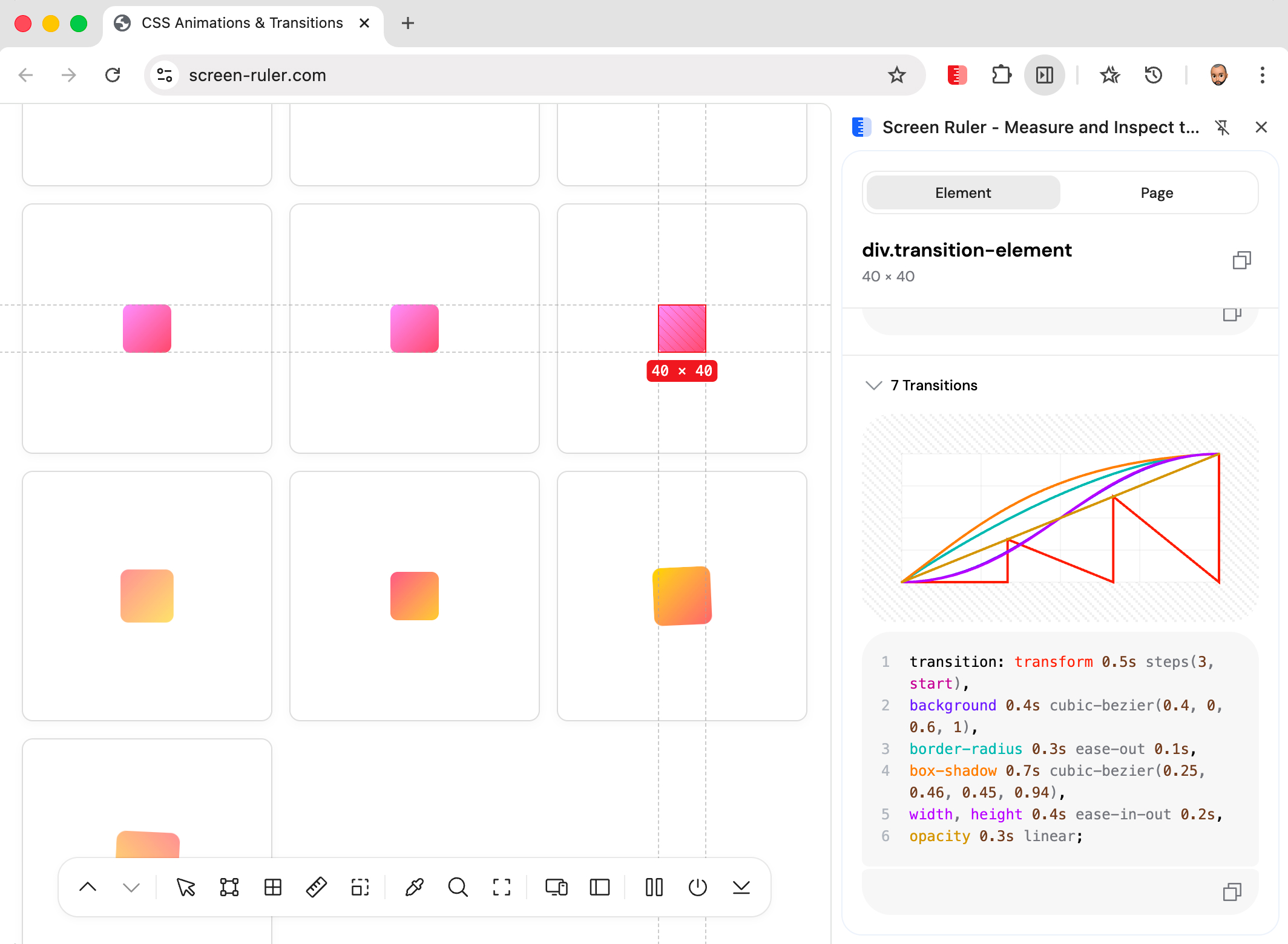
This makes it easy to spot “why does this hover feel weird?” or audit that a component’s transitions all use the same easing.
Flex & Grid Layout
Flexbox and CSS Grid are powerful but the property names are notoriously hard to keep straight. The layout inspector reads the computed layout properties on the selected element and renders them as a labelled diagram: outer container, tracked items, axis direction arrows, alignment indicators, and gap.

flex-direction.For Grid containers, it parses grid-template-columns and grid-template-rows, draws the column/row tracks at the right scale, and labels alignment on both axes.
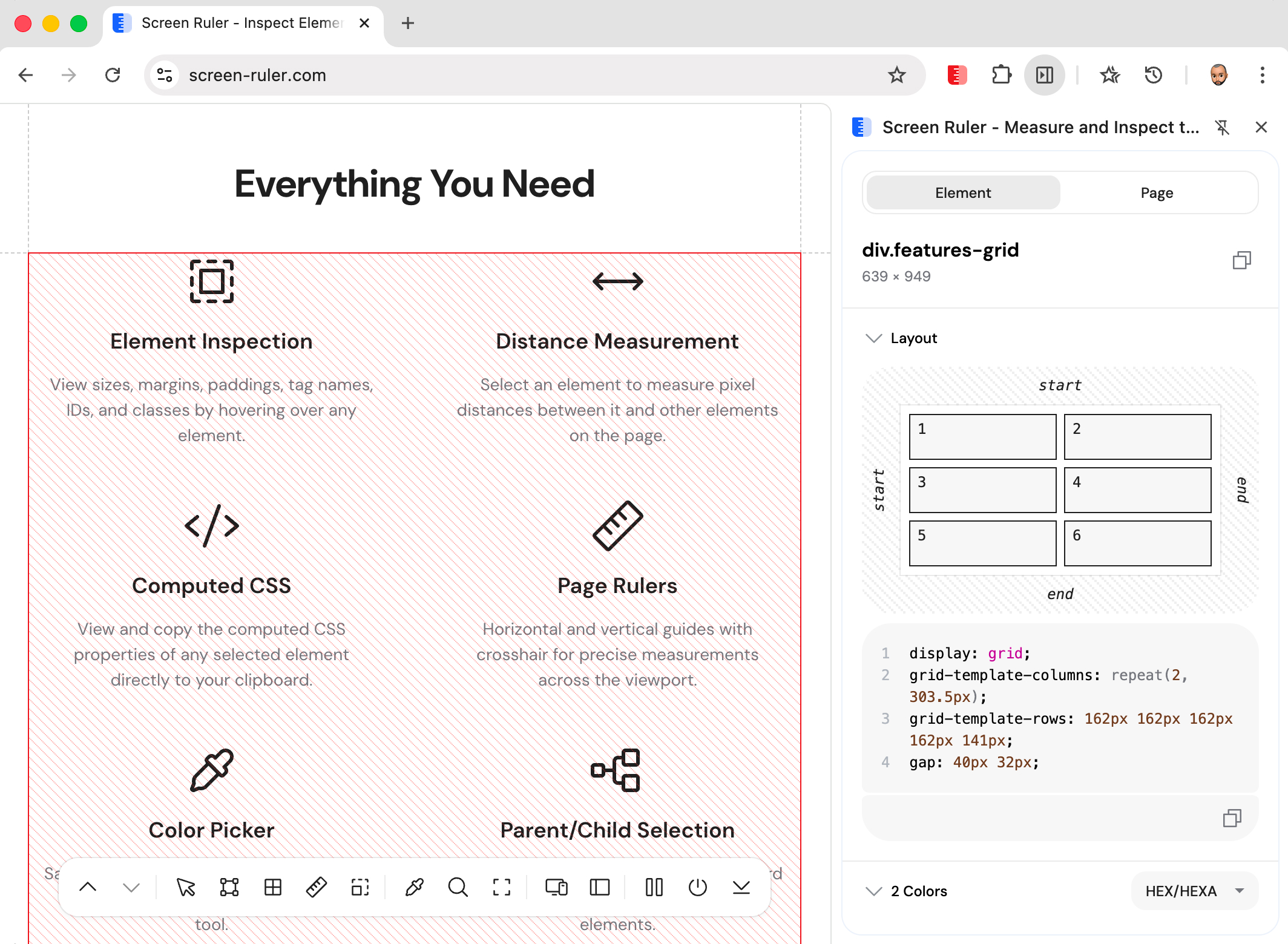
Below the diagram, the relevant layout CSS is listed in a copy-able block with browser defaults filtered out so you only see the properties that are doing real work.